
Automatisation PME: Definition and 2026 Guide for SMEs
Automatisation PME: Definition and 2026 Guide for SMEs
Business process automation for small and mid-sized enterprises is defined as the use of digital tools to execute repetitive, rule-based tasks without human intervention, freeing business owners to focus on growth. The industry term for this practice is business process automation, or BPA. 78% of small and medium businesses already use automation to reduce manual workload. That figure tells you this is no longer a large-enterprise privilege. Whether you run a 10-person accounting firm or a 50-person logistics company, understanding the automatisation PME definition is the first step toward cutting costs and reclaiming your time.
What is the automatisation PME definition?
Automation for small and mid-sized enterprises covers three distinct categories, each with a different level of complexity. Knowing which one fits your situation prevents you from overbuilding or underinvesting.
Traditional process automation handles rule-based, digital workflows with no judgment required. Invoice processing, data entry between two systems, and automatic purchase order generation are classic examples. If the logic is “when X happens, do Y,” traditional automation handles it.

Robotic process automation (RPA) goes one step further. RPA software simulates how a human interacts with a desktop application, clicking buttons, copying data, and filling forms across systems that were never designed to connect. A small business using an older accounting package that lacks an API can use RPA to bridge the gap without replacing the software.
Intelligent automation (IA) adds an AI layer on top of RPA or workflow tools. IA systems adapt and learn from new data, handle unstructured inputs like emails or scanned documents, and make simple decisions. This is the category most relevant to customer service chatbots and dynamic pricing tools.
The key criteria for any automatable task are the same across all three types: the task must be repetitive, rule-based, and digital. If a task requires human judgment every time, it is not yet a candidate for automation.
What types of automation are most accessible for SMEs?
Most small business owners do not need enterprise-grade infrastructure. The most accessible entry points are no-code and low-code platforms, which let non-technical teams build workflows using drag-and-drop builders and pre-built templates.
Common processes that SMEs automate successfully include:
- Email follow-ups and lead nurturing. A new contact fills out a form; the system sends a welcome email, schedules a follow-up, and notifies the sales rep automatically.
- Invoice creation and payment reminders. When a project is marked complete, the system generates an invoice and sends payment reminders at set intervals.
- Purchase approvals. Requests below a set threshold get auto-approved; larger ones route to the right manager without manual forwarding.
- Customer support responses. AI-powered chatbots handle frequently asked questions around the clock, escalating complex issues to a human agent.
- Data entry and report generation. Sales figures, inventory counts, and expense records move between systems automatically, eliminating manual copy-paste errors.
No-code platforms allow SMEs to deploy automation workflows without IT expertise, sometimes within one to two weeks. That speed matters enormously for a business owner who cannot afford a six-month implementation project.
Pro Tip: Before choosing a platform, list every tool your business already uses, from your CRM to your accounting software. The best automation platform is the one that connects your existing stack without requiring you to replace it.
You can find a detailed breakdown of platform categories in this 2026 automation tools guide for small businesses.
How can SMEs practically start implementing automation?
Starting automation does not require a technology budget or an IT team. The process follows a clear sequence that any business owner can manage.
-
Map your current processes manually. Write down every step of the tasks you want to automate. Manual process mapping before automation is critical. Automating a broken or inefficient process does not fix it. It makes the inefficiency run faster.
-
Identify your highest-frequency, lowest-risk tasks. Start with peripheral functions like email notifications, data transfers, or appointment reminders. These tasks are easy to automate, low risk if something goes wrong, and deliver visible results quickly.
-
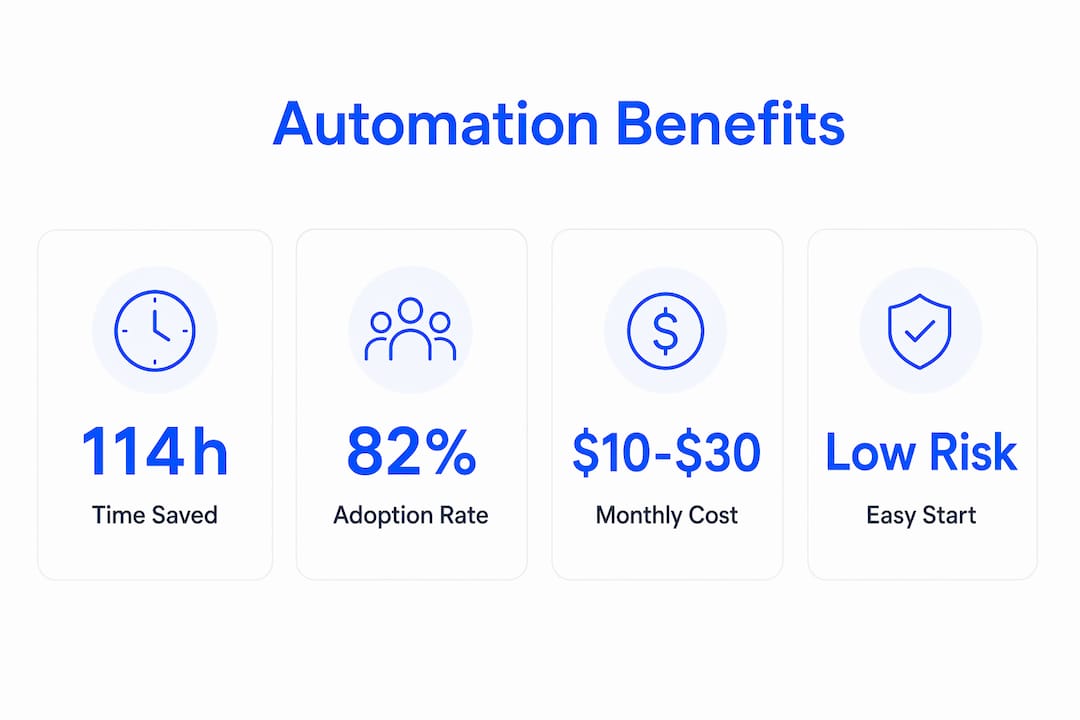
Choose a cloud-based platform that fits your budget. Cloud-based automation platforms for SMEs typically cost $10–$30 per user monthly. Simple workflows can be live within days. Full implementation across multiple departments usually takes 2–3 months.
-
Build one workflow, test it, then expand. Resist the urge to automate everything at once. A single working workflow builds internal confidence and teaches your team how the system behaves before you scale.
-
Choose modular tools over rigid systems. Your business will change. A modular automation setup lets you add, remove, or modify workflows without rebuilding from scratch.
Pro Tip: Automate the task you hate doing most first. That personal frustration is a reliable signal that the task is repetitive enough to automate and that the time savings will feel meaningful immediately.
For a deeper look at automating repetitive tasks specifically, the Botiqueai guide on automating repetitive tasks covers practical examples by business type.
What benefits and measurable impacts does automation bring to SMEs?
The productivity gains from automation are well documented and significant. SMEs save an average of 114 hours per employee annually and reduce operating costs by about 30%. That is roughly three full work weeks returned to each employee every year.
Beyond time savings, automation reduces human error. Fewer mistakes mean less rework, fewer compliance penalties, and more consistent output. A business that processes 200 invoices per month manually will introduce errors on some percentage of those. An automated system applies the same logic every time without fatigue.
“Automation is not a replacement for employees. It is a means to free their time for more creative and impactful work.” — FSB UK
The customer experience benefits are equally concrete. Automated follow-up sequences mean no lead goes cold because a sales rep was too busy. Chatbots answer customer questions at 2 a.m. without overtime costs. Automated appointment reminders reduce no-shows without requiring a staff member to make calls.
| Benefit | Practical outcome |
|---|---|
| Time savings | 114 hours saved per employee per year on average |
| Cost reduction | Operating expenses reduced by up to 30% |
| Error reduction | Consistent process execution eliminates manual mistakes |
| Customer response speed | Automated replies and follow-ups work around the clock |
| Employee focus | Staff shift from data entry to higher-value work |
82% of small businesses invested in automation tools as of mid-2026. That adoption rate signals that the competitive gap between automated and non-automated SMEs is widening fast.
What challenges and misconceptions should SMEs watch out for?
The biggest misconception about SME automation is that it requires expensive enterprise infrastructure or a dedicated IT team. Affordable, modular solutions exist that scale as your business grows. The cost barrier is far lower than most owners assume.
The real risks are operational, not financial. Watch out for these common pitfalls:
- Automating a broken process. If your invoice approval workflow has three unnecessary steps, automating it locks in those inefficiencies. Fix the process first, then automate it.
- Skipping employee communication. Staff who learn about automation after the fact often resist it. Involve your team early, explain what changes, and clarify that the goal is to remove tedious work, not eliminate jobs.
- Over-integrating too soon. Connecting automation directly to your core business systems before you understand the tool’s behavior creates risk. Start with stand-alone workflows that do not touch critical data until you have built confidence.
- Choosing a platform that cannot grow with you. A tool that works for five workflows may break under fifty. Evaluate scalability before you commit.
- Expecting instant ROI on complex processes. Simple automations pay back within weeks. Complex, multi-system workflows take longer to tune. Set realistic timelines.
Automation augments human effort rather than replacing it. The businesses that get the most from automation are the ones that use the reclaimed time for sales, customer relationships, and product development.
Key Takeaways
Business process automation delivers its strongest results when SMEs start small, map processes first, and choose modular cloud tools that fit their existing stack.
| Point | Details |
|---|---|
| Core definition | Automation executes repetitive, rule-based digital tasks without human intervention. |
| Three main types | Traditional automation, RPA, and intelligent automation each suit different SME needs. |
| Start small and low-risk | Begin with peripheral tasks like email follow-ups before touching core business systems. |
| Documented productivity gains | SMEs save an average of 114 hours per employee annually and cut costs by up to 30%. |
| Process mapping comes first | Map and fix workflows manually before applying any automation technology. |
What I have learned from watching SMEs automate
The SME owners who succeed with automation share one habit: they treat it as a process discipline, not a technology purchase. They spend more time mapping their workflows on paper than they do evaluating software features. That discipline is what separates the businesses that get real results from the ones that buy a tool and abandon it after three months.
The second pattern I have observed is that the first automation almost always surprises the owner. They expect to save an hour a week on invoicing. They end up discovering that the real bottleneck was the approval step upstream, which they then fix and automate too. One workflow becomes a lens for seeing the whole operation more clearly.
The misconception I push back on most often is the idea that automation is a one-time project. The businesses that treat it as a living system, adding workflows as the company grows and adjusting them as processes change, compound their gains over time. The ones that treat it as a finished installation stop benefiting within a year.
Automation does not make your business run itself. It makes your business run better so you can focus on the parts that actually require you.
— Botiqueai
Botiqueai’s AI automation solutions for SMEs
Botiqueai builds custom AI automation solutions designed specifically for small and mid-sized businesses that want real results without enterprise complexity.
The Aria chatbot, for example, automates customer interactions directly on your website or e-commerce store, handling questions, qualifying leads, and routing requests around the clock. For SME owners who want to reduce the cost of customer support while improving response times, Aria is built for that. Botiqueai also designs intelligent agents and custom automation workflows tailored to your specific industry and processes. If you are ready to move from manual operations to a system that works while you focus on growth, explore Botiqueai’s AI solutions to find the right starting point.
FAQ
What is the definition of automation for SMEs?
Automation for small and mid-sized enterprises is the use of digital tools to execute repetitive, rule-based tasks without human intervention. The three main categories are traditional process automation, robotic process automation (RPA), and intelligent automation (IA).
How much does automation cost for a small business?
Cloud-based automation platforms typically cost $10–$30 per user monthly. Simple workflows can be live within days, and full implementation across multiple departments usually takes 2–3 months.
What tasks should SMEs automate first?
Start with high-frequency, low-risk peripheral tasks such as email follow-ups, invoice reminders, and data entry. These deliver fast results and build internal confidence before you automate core business processes.
Does automation replace employees in small businesses?
Automation does not replace employees. It removes repetitive, low-value tasks from their workload so they can focus on customer relationships, sales, and strategic work that requires human judgment.
Do SMEs need an IT team to implement automation?
No. Modern no-code platforms use drag-and-drop builders and pre-built templates that allow non-technical business owners to deploy automation workflows, sometimes within one to two weeks, without any coding knowledge.