
Facebook Bot Chat: Your 2026 Business Guide
Facebook Bot Chat: Your 2026 Business Guide
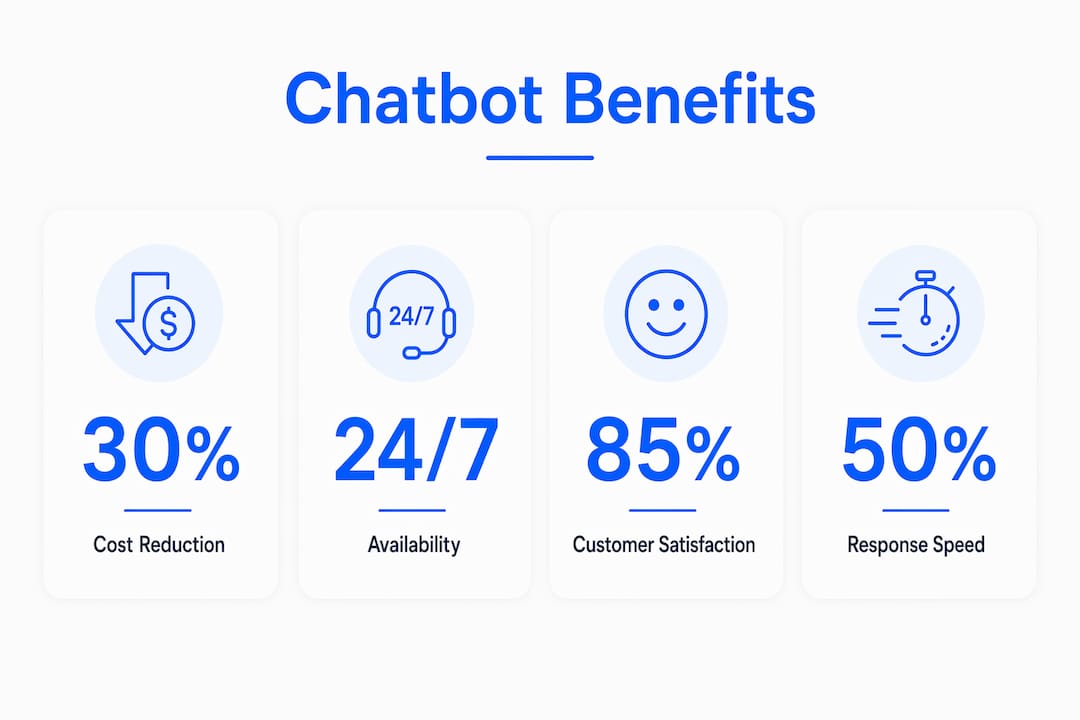
A Facebook bot chat is an automated program that handles customer conversations inside Facebook Messenger without human involvement. These bots use natural language processing (NLP) and intent recognition to understand what customers ask and respond in real time. The industry term is “Messenger chatbot,” though “Facebook bot chat” describes the same tool. Chatbots provide 24/7 accessibility and instant personalized support, freeing human agents to focus on complex issues. For business owners and marketers, this means faster response times, lower support costs, and higher customer satisfaction at scale.
How does a Facebook bot chat work?
A Messenger chatbot processes user messages through a pipeline of NLP, intent recognition, and response generation. When a customer sends a message to your Facebook page, the bot receives it through the Messenger API event triggers, which fire in real time. The bot then parses the message, identifies the user’s intent, and selects the appropriate response from its knowledge base or decision tree.
Here is how the core technical flow breaks down:
- NLP parsing: The bot converts raw text into structured data, identifying keywords, entities, and sentiment.
- Intent recognition: The system matches parsed input to a predefined intent category, such as “track order” or “request refund.”
- Response generation: The bot pulls a reply from its content library or triggers an API call to fetch live data like order status.
- Context passing: The bot stores conversation history so follow-up messages make sense without the user repeating themselves.
- Human escalation: When confidence scores drop below a threshold, the bot routes the conversation to a live agent with full context attached.
Event-driven bot development enables real-time message handling, meaning your bot reacts the moment a user types. That speed is what separates a well-built Messenger chatbot from a slow, frustrating experience.
Pro Tip: Set your escalation threshold conservatively at first. It is better to hand off too many conversations to a human agent early on than to let the bot guess incorrectly and frustrate customers.

What are the primary benefits of a chatbot for Facebook?
The most direct benefit is availability. Chatbots handle common inquiries instantly and never go offline, which means your business responds to customers at 2 a.m. on a Sunday the same way it does on a Monday morning. That consistency builds trust faster than any marketing campaign.
The business case goes beyond availability:
- Lower support costs. Automation speeds up response times and reduces the volume of tickets that reach human agents. Fewer tickets mean smaller support teams or more capacity for complex work.
- Higher engagement rates. Personalized offers and content sent through Messenger bots outperform generic email blasts because the channel is conversational and immediate.
- Better lead generation. A bot on Messenger can qualify leads by asking a short series of questions, then pass warm prospects directly to your sales team with a full conversation transcript.
- Improved sales conversion. Bots guide customers through product selection, answer objections, and complete transactions without leaving the Messenger window.
- Freed human capacity. When bots handle repetitive queries, your agents spend time on the conversations that actually require judgment and empathy.
The cost reduction angle deserves specific attention. Chatbots reduce operational costs by automating responses to the most common customer questions. For a business receiving hundreds of identical inquiries per week, that automation compounds into significant savings over a quarter.
What are best practices for building messenger bots that actually work?
Most chatbot failures come from the same handful of mistakes. Knowing them before you build saves weeks of rework.
Write for conversation, not for documentation. Customers typing into Messenger use short, informal sentences. Your bot should match that register. Avoid long paragraphs and formal language. Use quick replies and buttons to guide users rather than expecting them to type perfectly formed questions.
Keep flows simple but complete. A bot that tries to handle every possible scenario often handles none of them well. Map your top five to ten most common customer questions, build tight flows for those, and add a clear path to human support for everything else. Properly designed chatbots avoid over-automation by building escalation triggers directly into every flow.
Common pitfalls to avoid:
- Ignoring the fallback state. Every bot needs a graceful “I didn’t understand that” response that offers a menu or live agent option.
- Skipping user testing. Real users phrase things in ways you will never anticipate. Test with actual customers before launch.
- Over-sending messages. Messenger has strict policies on unsolicited outreach. Spamming users with promotional messages gets your bot disabled.
- Hiding the human option. Users who cannot find a live agent quickly become angry users. Make escalation visible and easy.
- Neglecting updates. Products change, policies change, and your bot’s content must keep pace. A bot giving outdated information damages credibility.
Pro Tip: Add a persistent “Talk to a person” button in your bot menu. Customers who know they can reach a human at any time are more willing to try the bot first.
Modern AI chatbots add value precisely because they blend automation with human escalation. The goal is not to replace your support team. The goal is to make your support team more effective.
How to integrate Facebook bot chat into your marketing and support strategy
Integration is where most businesses underperform. A chatbot sitting in isolation, disconnected from your CRM and marketing stack, delivers a fraction of its potential value.
Connect your bot to your CRM
Integrating Facebook chatbots with CRM platforms improves workflow and customer experience by passing conversation context and enriching customer records automatically. When a bot collects a customer’s email, order number, or product preference, that data should flow directly into your CRM without manual entry. This gives your sales and support teams a complete picture of every customer interaction.
Use analytics to guide improvement
Every conversation your bot handles is a data point. Track metrics like containment rate (the percentage of conversations resolved without human help), average response time, and drop-off points in your flows. Drop-off points reveal where users give up. Fix those first.
| Integration area | What to connect | Business outcome |
|---|---|---|
| CRM platform | Customer profiles and conversation history | Personalized follow-up and richer data |
| Support ticketing | Escalation routing and ticket creation | Faster resolution and no lost context |
| E-commerce platform | Order status and product catalog | Self-service order tracking |
| Marketing automation | Lead scoring and campaign triggers | Warmer leads and better segmentation |
Sync your bot with multi-channel campaigns
A chatbot for Facebook works best when it connects to your broader marketing calendar. Run a Facebook ad campaign and set the call-to-action to open a Messenger conversation. The bot greets the user, qualifies their interest, and delivers a personalized offer. This approach creates a direct line from ad spend to conversation to conversion.
For businesses that want advanced setup without building from scratch, Botiqueai designs custom chatbot solutions that integrate with Facebook Messenger, CRM systems, and marketing platforms. You can read practical retail automation use cases to see how businesses in e-commerce have applied this approach. The Botiqueai AI insights blog also covers emerging patterns in chatbot deployment across industries.
Key Takeaways
A Facebook Messenger chatbot delivers its highest value when automation and human support work together, not when one replaces the other.
| Point | Details |
|---|---|
| NLP drives accuracy | Bots use natural language processing and intent recognition to understand and respond correctly. |
| 24/7 availability cuts costs | Automating common queries reduces support workload and speeds up response times significantly. |
| Escalation is non-negotiable | Every bot flow needs a clear, easy path to a human agent to prevent user frustration. |
| CRM integration multiplies value | Connecting bot data to your CRM creates richer customer profiles and better follow-up. |
| Analytics reveal what to fix | Tracking containment rate and drop-off points shows exactly where your bot needs improvement. |
What I’ve learned building chatbots for real businesses
The businesses that get the most from Messenger bots are not the ones with the most sophisticated technology. They are the ones that spent time mapping their actual customer conversations before writing a single line of bot logic.
The pattern I see repeatedly is this: a business launches a bot, it handles 30% of inquiries well, and the team declares it a failure. The real issue is almost always scope. The bot was asked to do too much too fast. When we narrow the focus to the five questions customers ask most often, containment rates climb and satisfaction scores follow.
The other thing worth saying plainly: the true value of chatbots is in blending automation with human support, not replacing it. Businesses that position their bot as a replacement for human agents consistently see lower satisfaction scores than businesses that position it as a first responder. The bot handles speed. The human handles nuance. That division of labor is what makes the whole system work.
Ethical design matters too. Users should always know they are talking to a bot. Transparency builds trust. A bot that pretends to be human and gets caught destroys the relationship it was built to create. Design for honesty, and your customers will reward you for it.
— Botiqueai
Botiqueai’s chatbot solution for Facebook Messenger
Building a Messenger chatbot from scratch takes time, technical knowledge, and ongoing maintenance. Botiqueai removes that barrier with custom AI chatbot solutions built specifically for your business needs.
Botiqueai’s Aria Chatbot connects directly to Facebook Messenger, handles customer conversations with AI-driven personalization, and passes enriched data to your CRM automatically. Setup is guided, and the system is built to handle real business volumes from day one. Whether you run an e-commerce store, a service business, or a multi-location brand, Aria adapts to your specific customer flows. You can also explore Botiqueai’s full AI solutions to see how chatbots fit into a broader automation strategy for your business.
FAQ
What is a Facebook bot chat?
A Facebook bot chat is an automated program that interacts with customers through Facebook Messenger using natural language processing. It responds to messages instantly, handles common questions, and escalates complex issues to human agents.
How much does a Facebook Messenger chatbot cost?
Pricing typically starts with a free tier and moves to subscription plans around $18.99 per month, depending on usage volume and features. Enterprise setups with CRM integration and custom flows are priced separately.
Can a Messenger chatbot replace my customer support team?
A Messenger chatbot handles repetitive, high-volume queries automatically, but it does not replace human agents. The most effective setups use bots as a first responder and route complex issues to people.
How do I avoid common chatbot mistakes on Facebook?
Build clear escalation paths, test with real users before launch, and avoid sending unsolicited promotional messages. Reviewing a common chatbot mistakes guide before you build saves significant rework time.
How do I connect my Facebook chatbot to my CRM?
Most CRM platforms support Messenger integration through APIs or native connectors. The bot passes conversation data and customer details to your CRM in real time, creating a complete record of every interaction.