
Support Teams: Start AI Ticket Routing with 2–3 Low Risk Intents
Support Teams: Start AI Ticket Routing with 2–3 Low Risk Intents
AI ticket routing automates three jobs at once: classifying what a ticket is about, scoring how urgent it is, and sending it to the right queue or deflecting it entirely with a self-serve answer. The safe way to start is not to flip it on for every ticket. Simulate against your historical backlog first, automate only the intents where the model is consistently confident, and keep a human in the loop for everything else. Done this way, teams typically see faster triage, fewer misrouted tickets, and a measurable drop in ticket volume once deflection kicks in alongside your knowledge base.
TL;DR:
- Only automate confidently classified intents and simulate the system on historical tickets for three to twelve months before live deployment.
- Integrating CRM, billing, and order systems enhances routing accuracy and increases first-touch resolution and deflection rates.
- Use push-based webhooks for real-time routing or pull-based polling for security and simplicity within locked networks, choosing the method that fits your architecture.
- Building a precise, mutually exclusive taxonomy with sufficient training examples per intent is more critical than the choice of the model or algorithm.
- Monitor metrics such as routing accuracy, deflection rate, SLA compliance, and re-contact rate, and establish governance procedures to detect and mitigate model drift.
Table of Contents
- How Does AI Ticket Routing Actually Work?
- What Business Results Does AI Ticket Routing Actually Deliver?
- Push vs. Pull, and Which Model Actually Fits Your Stack?
- How Do You Build a Taxonomy That Actually Routes Correctly?
- Botiqueai’s Rollout Playbook for Getting This Live Safely
- Which Metrics Actually Tell You the System Is Working?
- Why Most Teams Get AI Ticket Routing Backwards
- Get Your AI Ticket Routing Built the Right Way
- Sources
How Does AI Ticket Routing Actually Work?
Every AI-enabled ticket routing system starts with ingestion: getting the ticket data from wherever it originates (email, a chat widget, an API call, a WhatsApp thread) into something a model can process. You have two structural choices here, and they shape everything downstream.
Push-based systems use webhooks. The helpdesk fires an event the moment a ticket lands, triggering classification in real time. Pull-based systems poll the API on a schedule instead, checking every few minutes for new tickets. Push is faster and more efficient, but it requires a public endpoint and the security hardening that comes with it. Pull is simpler to stand up inside a closed network, though it trades that simplicity for latency and extra API calls, as Claude’s platform documentation on ticket routing lays out.
Once a ticket arrives, it moves through a processing pipeline:
- A classifier or LLM determines the intent (billing question, bug report, cancellation request).
- A sentiment and priority layer scores urgency and customer tone.
- A confidence score attaches to the classification itself.
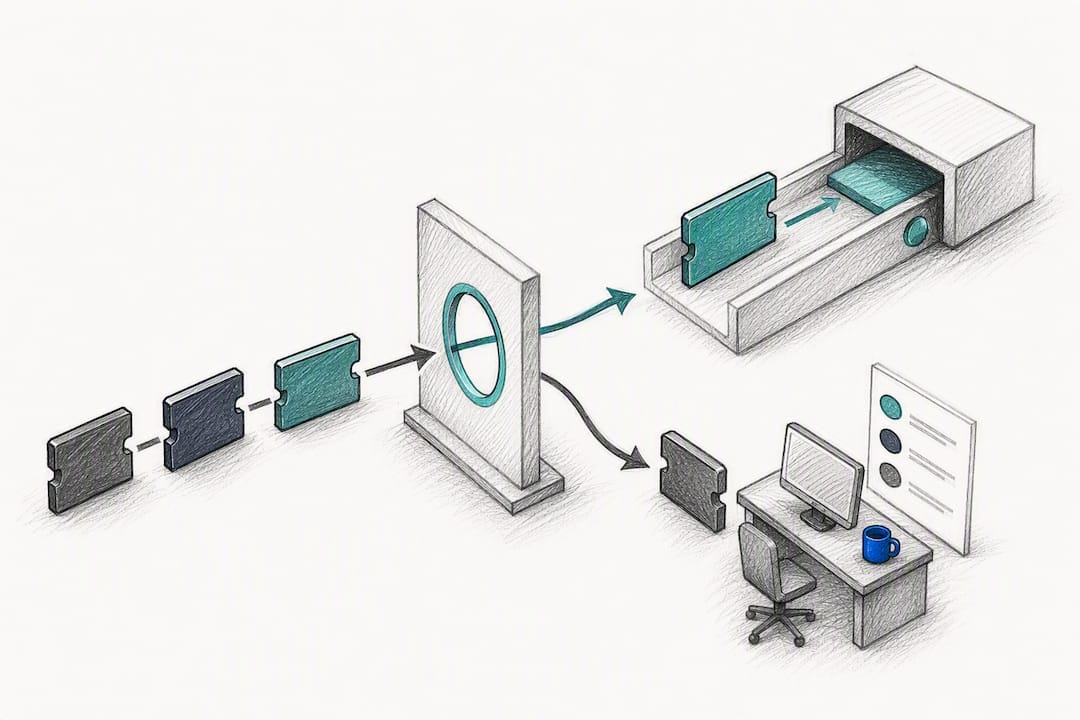
- A routing decision follows: assign to a queue, escalate to a senior agent, deflect with a knowledge base article, or draft a reply for human review.
Open-source projects like supportiq show this pattern concretely: classification feeds confidence scoring, which feeds priority, which then routes to skill-based assignment with workload balancing and agent availability checks built in.
The integration points matter as much as the model. A router wired only to your knowledge base can classify and deflect simple questions, but one connected to your CRM, billing system, and order history can pull up account context and route (or resolve) far more accurately. Most teams build the connective layer with middleware like n8n or Make, translating a webhook payload into a model call and then into a helpdesk API request, rather than writing that plumbing from scratch.
What Business Results Does AI Ticket Routing Actually Deliver?
The technical pipeline only matters if it moves numbers your support director cares about. Triage speed is the most immediate win: instead of an agent reading and manually tagging every incoming ticket, the model does it in the time it takes to hit your API.
Integration depth is the biggest lever on deflection and resolution rates. A router connected only to a knowledge base tends to plateau, while adding CRM and order-system context can push first-touch resolution well past that ceiling, according to Eesel.
Beyond raw speed, three outcomes tend to show up consistently:
- Better consistency across agents, since the same ticket gets classified the same way regardless of who touches it first.
- Higher deflection rates when routing pairs with semantic search over your FAQ, which resolves simple questions before a human ever sees them.
- Improved SLA compliance, because priority scoring surfaces high-value or high-urgency tickets ahead of the queue instead of leaving them buried in a first-in-first-out list.
Fewer reassignments alone can save agents real time every week. It compounds fast in teams handling more than a few hundred tickets a day.
Push vs. Pull, and Which Model Actually Fits Your Stack?
Deciding how to build the routing layer comes down to a handful of concrete trade-offs, not abstract architecture debates.
Push-based webhooks deliver lower latency and better real-time behavior. The catch is you need a publicly reachable endpoint, which means thinking about authentication, rate limiting, and payload validation from day one. Pull-based polling sidesteps the public endpoint problem, which makes it attractive inside locked-down enterprise networks, but it introduces lag between ticket creation and classification, and it burns more API calls over time.
On the model side, you generally pick from three approaches:
- Direct LLM classification in a single pass, good for straightforward intent detection with lower engineering overhead.
- Embeddings plus vector search for semantic FAQ deflection, which retrieves the closest matching answer before deciding whether to auto-reply.
- A hybrid: AI fills structured fields (intent, sentiment, priority) while deterministic business rules make the final routing call, an approach eesel.ai’s guide to AI ticket prioritization documents as one of the more common production patterns.
A two-stage deflection process, semantic search followed by an LLM confirmation step, cuts down on incorrect auto-replies and keeps every answer traceable to a specific FAQ entry, based on findings from an open-source ticket triage project.
Confidence scoring is where the real engineering judgment lives. You need thresholds that decide whether a classification becomes an internal note for a human to review or a customer-facing automated action. When confidence dips below your threshold, the ticket should route to a human with the model’s reasoning attached, not just a bare “low confidence” flag. Claude’s guidance on ticket routing frames this as a core design requirement, not an optional safety net.
Pro Tip: Build your first middleware layer in n8n or Make before you write custom code. You can prototype the webhook-to-model-to-helpdesk chain in an afternoon, and swapping pieces out later is far cheaper than refactoring a hand-rolled integration.
How Do You Build a Taxonomy That Actually Routes Correctly?
The quality of your intent taxonomy matters more than which model you pick. A sharp taxonomy with a mediocre classifier will consistently outperform a state-of-the-art model working against fuzzy, overlapping categories, an insight Claude’s use-case documentation backs directly.
Building one that holds up in production comes down to a few disciplined steps:
- Define categories that are business-actionable. Each intent should map to a specific queue, agent skill, or automated action, not a vague theme like “general inquiry.”
- Keep categories mutually exclusive wherever possible, and write two or three real example tickets for each one so anyone auditing the taxonomy later understands exactly what belongs where.
- Plan for multi-intent tickets explicitly. A ticket that’s both a billing question and a cancellation threat needs either structured slot extraction that splits the work, or a direct route to a senior agent who can handle both at once.
- Audit your historical tags before you migrate them. Most helpdesks accumulate years of inconsistent, overlapping, or abandoned tags. Map the useful ones to your new taxonomy and drop the rest instead of dragging that debt into your new system.
- Set a minimum sample size per category before automating it. If a category has only a handful of historical examples, treat it as a rule-based fallback rather than something the model classifies independently, at least until volume builds.
Cold-start categories are the trap most teams fall into. Simulating against historical tickets exposes exactly which intents lack enough training examples to trust, before that gap causes a real customer-facing misroute.
Botiqueai’s Rollout Playbook for Getting This Live Safely
Simulation against historical tickets is the single most effective way to de-risk a rollout, and it’s worth running against three to twelve months of resolved tickets before the model ever touches live traffic. That window is usually enough to estimate per-intent accuracy and surface which categories are too thin or too ambiguous to automate yet, a pattern eesel.ai’s ticket triage automation guide confirms across the SaaS support teams it studied.
From there, the sequence that actually works:
- Start with two or three high-volume, low-risk intents, not your whole taxonomy.
- Keep automation internal at first, as suggested replies or agent-facing notes, until accuracy holds steady over real traffic.
- Set conservative confidence thresholds and automate only the highest-confidence actions; everything else routes to a human with the model’s reasoning attached.
- Run a weekly human review loop and feed corrected labels back into retraining, watching for drift as ticket patterns shift over time.
Pro Tip: Resist the urge to expand scope the first week accuracy looks good. Confidence that holds for one quarter under seasonal traffic patterns is a much stronger signal than confidence that held for two good weeks.
This is the same staged approach Botiqueai uses when building custom routing and automation systems for support teams: prove it on historical data, expand intent by intent, and only widen autonomy once the numbers earn it.
Which Metrics Actually Tell You the System Is Working?
Six numbers matter more than the rest: routing accuracy by intent, deflection rate, first-touch resolution, mean time to assign, SLA compliance, and re-contact rate. Re-contact rate deserves special attention. A ticket that gets auto-resolved but generates a follow-up within 48 hours is a signal your deflection confirmed too fast, not too slow.
Day-to-day monitoring should track:
- Confidence distribution over time, watching for a gradual downward drift that signals your taxonomy is drifting out of sync with real ticket patterns.
- Sudden drops in precision for a specific intent, which usually means a product change or policy shift introduced a new ticket subtype your training data never saw.
- Spikes in escalations or reassignments, often the earliest visible symptom of a routing model quietly degrading.
Governance ties it together: keep audit logs on every automated decision, hold a fixed cadence for human review, respect whatever data retention rules apply to your customer conversations, and have a written playbook for what happens the moment drift shows up in the numbers.
Why Most Teams Get AI Ticket Routing Backwards
Most advice on this topic leads with the model. Pick the best LLM, tune the prompt, ship it. That’s backwards. The research is consistent on this point: taxonomy quality and simulation discipline determine outcomes far more than which model sits behind the classification step. A weak taxonomy paired with a frontier model still produces fuzzy, inconsistent routing.
The conventional advice also underrates how much integration depth matters. A chatbot bolted onto a knowledge base looks impressive in a demo and plateaus fast in production. The real gains show up when the router can see CRM history, order status, and billing context, because that’s the difference between an answer and a resolution.
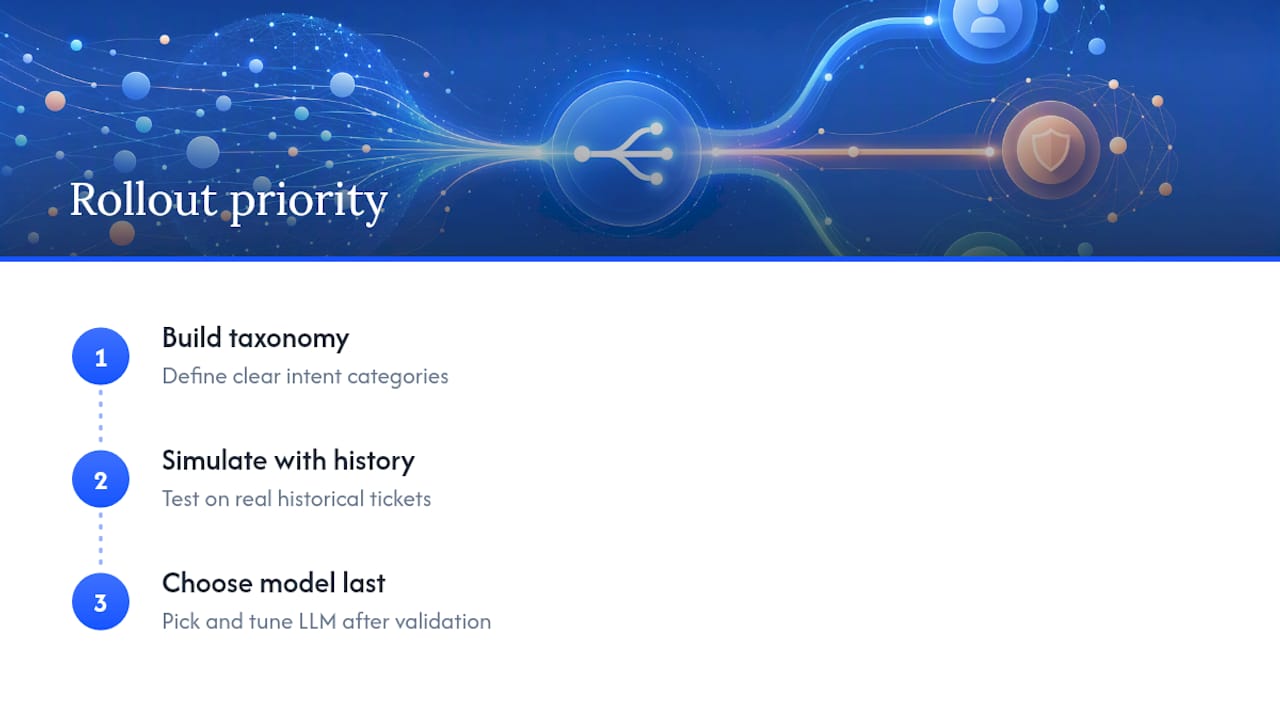
If you’re planning a rollout, prioritize in this order: build the taxonomy first, simulate against real historical tickets second, and pick the model last. Teams that reverse this sequence spend months fighting a classifier that was never going to work well against categories nobody defined carefully. The technology is rarely the bottleneck. The thinking that precedes it usually is.
— Botiqueai
Get Your AI Ticket Routing Built the Right Way
Reading about confidence thresholds and taxonomy design is one thing. Building it against your actual helpdesk, your actual ticket history, and your actual CRM is another. Certain AI development firms design and build custom AI ticket routing systems the way this article describes: simulate first, start narrow, expand autonomy only once the accuracy numbers earn it.

If your support team is drowning in manual triage, Botiqueai’s n8n and Make workflow automation connects your helpdesk, CRM, and billing systems into a single routing pipeline instead of a patchwork of disconnected tools. For teams that also want a customer-facing layer handling deflection directly on the website or WhatsApp, the Aria AI chatbot pairs naturally with the routing logic behind it. Consider booking a scoping call with an AI solutions provider to map your ticket taxonomy and get a simulation run against your own historical data before committing to a build.