
RPA for Small Business: A Practical Pilot Guide
RPA for Small Business: A Practical Pilot Guide
Robotic Process Automation (RPA) is software that deploys bots to mimic human interactions with computer interfaces, clicking, typing, and copying data, to handle repetitive, rule-based tasks without human intervention. For small businesses, that translates to three immediate gains: hours recovered from manual data entry, a sharp drop in costly errors, and staff freed to focus on work that actually grows revenue. RPA pays off fastest on high-volume, structured processes like invoice entry, order status updates, and bank reconciliation, where the rules are clear and the volume is consistent.
- Time savings: bots complete tasks significantly faster than manual methods and run around the clock
- Fewer errors: deterministic rule-following eliminates the transposition mistakes and missed fields that plague manual entry
- Higher-value work: when your team stops re-keying data, they spend that time on customers, sales, and decisions
Academic trials on small and mid-sized enterprises report time savings ranging from 50% to 84% on well-chosen processes, though results depend heavily on how structured and repeatable the target task actually is.
Table of Contents
- How RPA works for small businesses in plain terms
- Concrete benefits of RPA for small businesses
- Which processes should you automate first?
- What types of RPA tools fit a small business?
- What does RPA actually cost, and when does it pay back?
- Who should build and maintain your bots?
- Risks and governance: what can go wrong
- Your six-step pilot checklist
- Key Takeaways
- When DIY tools stop being enough
- Botiqueai can scope and build your first automation pilot
- Useful sources
How RPA works for small businesses in plain terms
A bot is not an AI that thinks. It is a software script that watches a screen, reads fields, and executes a fixed sequence of actions, the same way every time, without fatigue or improvisation. Google Cloud’s RPA definition describes bots as deterministic: given the same input, they produce the same output, reliably and at speed.
The basic flow looks like this:
- Trigger: an event fires the bot (a new invoice lands in an email folder, a form is submitted, a scheduled time is reached)
- Bot workflow: the bot opens the target application, reads the relevant fields, and executes the defined sequence of clicks and keystrokes
- Exception handling: if the bot encounters an unexpected value or a missing field, it flags the record for human review rather than guessing
- Logging and reporting: every action is recorded, giving you an audit trail and the data to measure performance
Three terms worth knowing:
- Attended bot: runs on a user’s desktop and works alongside a human, who triggers it manually for tasks that need judgment at certain steps
- Unattended bot: runs on a server or in the cloud, fires automatically on a schedule or trigger, and needs no human present
- Orchestrator: the central dashboard that schedules bots, monitors their health, and manages credentials and logs
Where RPA ends and AI begins: RPA follows fixed rules over structured data. It cannot read a handwritten note, interpret a vague customer complaint, or adapt when the logic changes. AI and machine learning handle unstructured inputs and pattern recognition. The two can work together, but for a first pilot, stick to deterministic RPA on clean, structured data. It is cheaper, faster to build, and far easier to maintain.
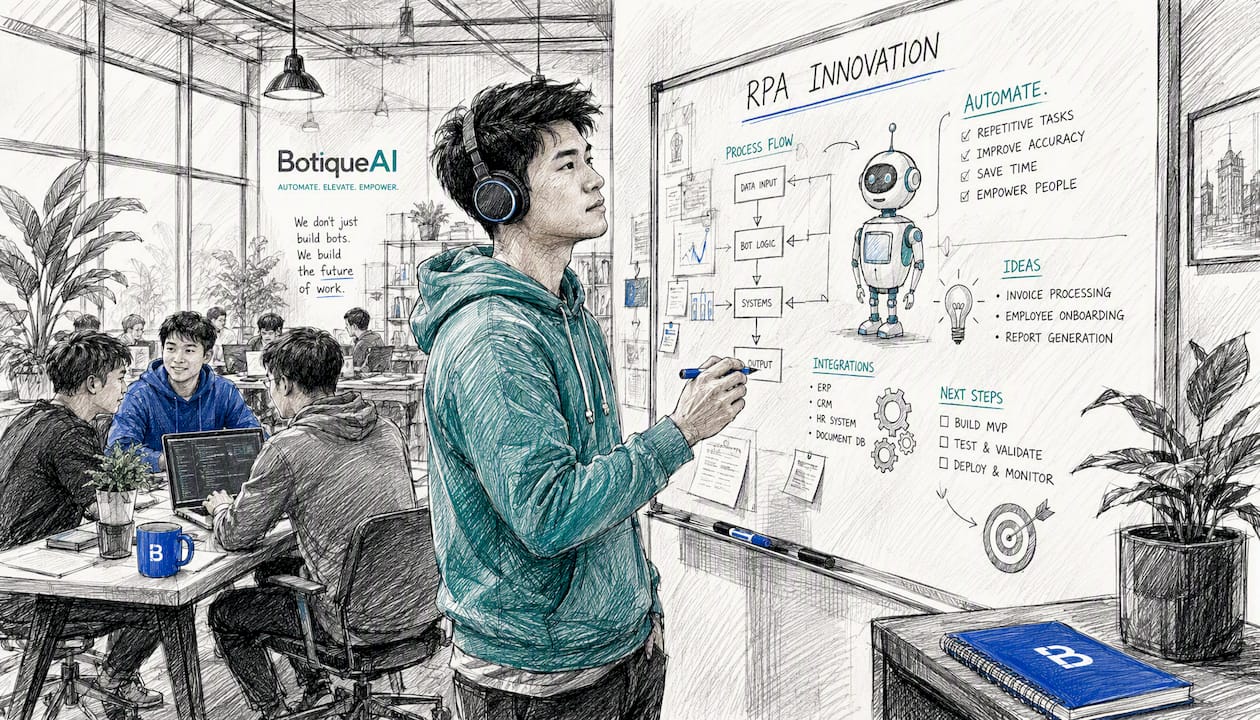
Concrete benefits of RPA for small businesses
The operational case is straightforward. A bot processes a transaction in seconds rather than minutes, works nights and weekends without overtime, and never transposes a digit. RPA reduces manual errors, speeds up processing, and lets small teams scale without large hiring spikes, which matters enormously when your headcount is ten people, not a hundred.
The strategic case is less obvious but arguably more important. When a two-person accounting function stops spending half its day on data entry, it can close the books faster, catch cash-flow problems earlier, and spend time on analysis rather than transcription. That is the real competitive lever for small businesses: automating repetitive administrative tasks frees small teams to focus on high-value work and compete with larger firms that have dedicated staff for every function.
Scalability is the third benefit owners underestimate. A bot handling 200 invoices a month can handle 2,000 with no additional labor cost, just more compute time. Seasonal spikes in order volume, tax season surges in accounting work, or a sudden jump in customer inquiries can all be absorbed without emergency hiring.
Key insight: Academic research confirms that the biggest barrier to RPA adoption in small enterprises is not the technology itself but the perceived effort of getting started. Low-friction pilots on a single, well-defined process are the fastest way past that barrier.
Which processes should you automate first?
Not every task is a good RPA candidate. The best first pilots share three traits: the process is structured (inputs arrive in a predictable format), it is repeatable (the same steps run every time), and the volume is high enough to justify the setup time. Here are the highest-impact starting points, ranked by ease of implementation and speed of payback.
-
Invoice processing and accounts payable. Extracting vendor data, matching purchase orders, and entering amounts into your accounting system is pure repetition. The KPI to track: minutes per invoice processed, before and after. Accounting automation is one of the clearest wins for small businesses because the process is standardized and the error cost is real.
-
Order entry and status updates. Copying order details from an email or web form into your ERP or fulfillment system, then sending a confirmation, is exactly what bots do well. Measure throughput time and error rate per order.
-
Payroll data entry. Pulling hours from a time-tracking tool and entering them into payroll software is tedious, error-prone, and legally consequential. A bot handles the transfer; a human reviews the output. Track time saved per pay cycle and payroll error rate.
-
Bank reconciliation. Matching transactions between your bank statement and your accounting ledger is structured, rule-based, and deeply boring for a human to do manually. Bots can flag mismatches for human review rather than attempting to resolve them.
-
Standardized customer replies. If your inbox fills with the same five questions every week, a bot can read the trigger keywords and send the appropriate templated response. Track first-response time and the share of inquiries handled without human touch.
-
Basic ETL and reporting. Pulling data from multiple sources (a CRM, a spreadsheet, a web analytics tool) and compiling it into a weekly report is a strong unattended-bot use case. Measure time saved per report cycle.
Tasks to avoid as first pilots: anything requiring judgment on ambiguous inputs, processes with frequent exceptions that lack clear resolution rules, and workflows built on unstructured text (like free-form customer emails) without pre-processing. Those are better handled by AI agents, not deterministic RPA bots. For a broader list of tasks SMBs can automate with AI today, the overlap with RPA candidates is significant.
What types of RPA tools fit a small business?
Attended vs. unattended vs. hybrid
Attended bots sit on a user’s desktop and activate on demand. They suit tasks where a human needs to review or approve mid-process, like a customer service rep triggering a bot to pull account history while on a call. Setup is simpler, but the bot only runs when someone is at the keyboard.
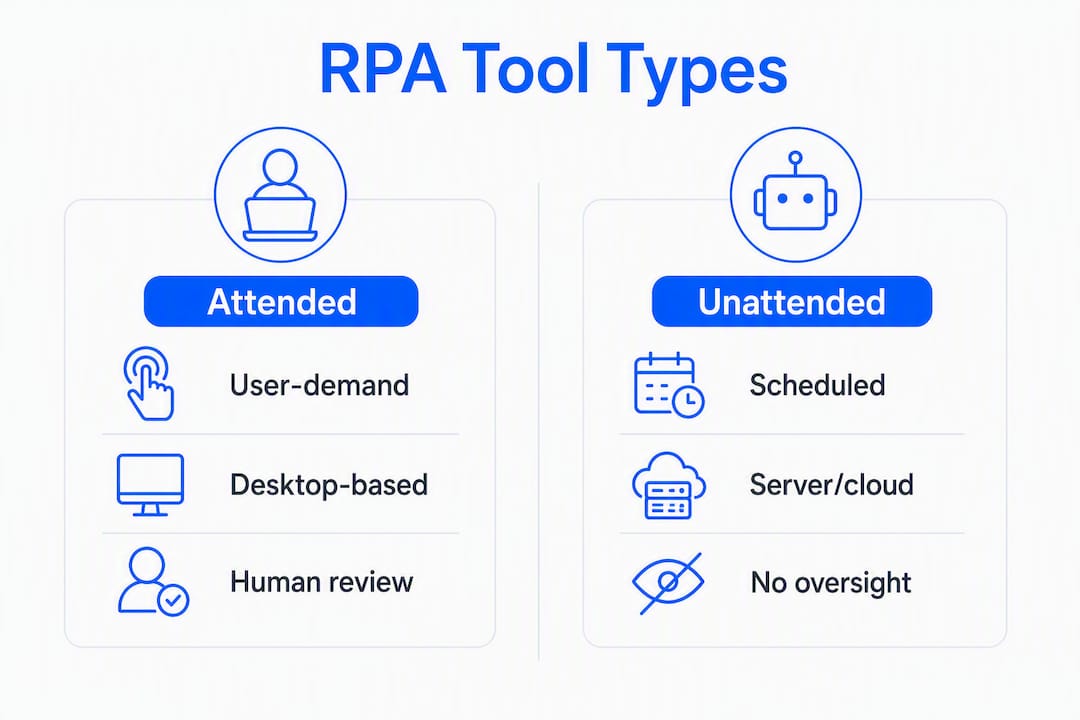
Unattended bots run on a server or cloud environment, fire on a schedule or trigger, and need no human present. They are ideal for overnight batch processing, like reconciliation runs or report generation. They require slightly more infrastructure but deliver the full 24/7 benefit.
Hybrid combines both: an unattended bot handles the bulk of a process and routes exceptions to an attended bot for human resolution.
Cloud vs. desktop deployment
| Factor | Cloud/web-based | Desktop/on-premise |
|---|---|---|
| Setup time | Fast (hours to days) | Longer (days to weeks) |
| Maintenance | Vendor-managed updates | Your team manages patches |
| Security | Shared infrastructure; check data residency | Full control over data location |
| Cost model | Monthly subscription | Higher upfront, lower ongoing |
| IT capacity needed | Minimal | Moderate |
For most small businesses with limited IT staff, cloud-based RPA tools are the practical starting point. The subscription model keeps upfront costs low, and the vendor handles infrastructure.
Low-code and no-code options
Several platforms offer drag-and-drop bot builders that a non-developer can learn in a few days. Microsoft Power Automate, for example, connects to hundreds of business apps and lets a trained power user build simple bots without writing code. TagUI, an open-source option from AI Singapore, is free and script-based, suited for teams with a little technical comfort. These tools lower the barrier to a first pilot considerably.
Decision checklist:
- Low IT capacity + tight budget → cloud, low-code, attended or unattended
- Sensitive financial or health data → on-premise or private cloud with strict access controls
- High transaction volume + overnight processing → unattended, cloud or on-premise
- First pilot, uncertain scope → cloud subscription, attended bot, cancel if it does not work
What does RPA actually cost, and when does it pay back?
Cost breaks into four buckets: platform license, bot development, testing, and ongoing maintenance. Here is where the money goes and what drives each line up or down.
| Cost category | Typical driver | What increases it |
|---|---|---|
| Platform license | Per-bot or per-user subscription | More bots, enterprise tier features |
| Bot development | Hours to build and configure the workflow | Process complexity, number of applications touched |
| Testing and QA | Number of edge cases and exception scenarios | Poorly documented processes, frequent UI changes |
| Maintenance | Frequency of application updates and process changes | Brittle UIs, undocumented exceptions |
Timeline for a typical small-business pilot:
- Scoping and process mapping: 1–2 weeks
- Bot development and configuration: 2–6 weeks
- Testing and pilot run: 1–4 weeks
- Decision to scale or roll back: end of week 8–12
The ROI threshold is a volume question. If a process takes your team 10 minutes per transaction and you run 50 transactions a month, that is roughly 8 hours of labor per month. A bot that cuts that by 70% saves about 5.5 hours monthly. Whether that justifies the development and maintenance cost depends on your hourly labor rate and how much the bot costs to build and maintain. Processes with fewer than 20–30 transactions per month rarely generate enough savings to cover a custom build; they are better candidates for a low-code tool a staff member configures themselves.
Operational cost analysis consistently shows that the fastest payback comes from processes where the labor cost per transaction is high and the exception rate is low. Aim for both when choosing your first pilot.
Who should build and maintain your bots?
Four models exist, and the right one depends on your team’s technical capacity, the complexity of the process, and how much ongoing maintenance you expect.
In-house DIY: a staff member learns a low-code platform and builds the bot themselves. Works well for simple, single-application automations with stable interfaces. The risk is that the person who built it becomes the single point of failure when it breaks.
Citizen developer: a trained power user, often in operations or finance, takes a structured course on a platform like Power Automate and owns a portfolio of simple bots. This model scales well for small teams that want control without hiring a developer. The limitation is complexity: citizen developers hit a ceiling quickly when processes span multiple systems or require custom connectors.
Contract consultant or agency: you hire an external specialist to scope, build, test, and hand off the bot. Faster than DIY for complex processes, and the specialist brings experience with edge cases you have not thought of yet. The tradeoff is cost and the risk of knowledge walking out the door when the engagement ends.
Managed RPA service: the vendor or agency builds, monitors, and maintains the bots on an ongoing basis. Highest cost, lowest internal burden. Makes sense when the process is mission-critical, the volume is high, and your team has no capacity to manage exceptions.
Pro Tip: When evaluating a consultant or agency, ask for a documented handoff package: process maps, bot logic documentation, exception-handling rules, and a maintenance runbook. If they resist, that is a signal they plan to keep you dependent on them.
For a practical framework on identifying automation opportunities before you decide on a staffing model, mapping your processes first will clarify which model fits.
Risks and governance: what can go wrong
RPA is not set-and-forget. The most common failure mode is brittleness: a bot built to click a button in a specific location breaks the moment the application updates and moves that button. This is not a rare edge case; it is the default behavior of any bot that interacts with a UI rather than an API.
Key risks to plan for:
- UI brittleness: application updates break bot workflows; plan for regression testing after every software update
- Maintenance overhead: bots need monitoring, exception review, and periodic updates; underestimating this is the most common reason RPA projects stall
- Credential and data security: bots often need login credentials for multiple systems; storing those credentials insecurely is a significant vulnerability
- Process drift: the underlying business process changes but the bot does not; the bot keeps running the old logic on new data
Mitigation tactics:
- Version-control your bot scripts so you can roll back after a bad update
- Set up monitoring and alerting so you know within minutes when a bot fails, not days
- Use a credential vault (not a hardcoded password in the script) for all system logins
- Schedule quarterly process reviews to confirm the bot’s logic still matches the actual workflow
- Define an exception-handling SLA: who reviews flagged records, and within what timeframe
Governance checklist:
- Assign a named owner for each bot (not just “IT”)
- Document the exception-handling rules and escalation path
- Log every bot run with inputs, outputs, and errors
- Review security posture when any integrated application changes its authentication method
- Test the bot against a sample of real transactions before every production deployment
Maintenance burden and brittleness are the two most cited reasons RPA projects fail in small businesses. Building governance in from the start is not overhead; it is what separates a bot that runs for three years from one that breaks in month two.
Your six-step pilot checklist
A pilot should take 6–10 weeks and answer one question: does this bot save enough time and reduce enough errors to justify scaling? Here is the sequence.
-
Pick one process and assign an owner. One process, one person accountable. Do not pilot three things at once. The owner maps the process, reviews exceptions, and makes the scale-or-rollback call.
-
Map the process end-to-end. Document every input, every step, every output, and every exception you can think of. If you cannot write down the rules clearly enough for a non-expert to follow, the bot cannot follow them either.
-
Baseline your current metrics. Time per transaction, error rate, volume per week. You need these numbers before the pilot starts, or you cannot measure success.
-
Build the minimal bot. One transaction, end-to-end, no edge cases yet. Get the happy path working first. This is your proof of concept.
-
Run the pilot and measure. Run the bot on real transactions for 2–4 weeks. Track time saved, errors caught, and exceptions flagged. Compare against your baseline.
-
Decide: scale, adjust, or roll back. If the bot saves meaningful time and the exception rate is manageable, scale. If exceptions are too frequent or the maintenance burden is already high, adjust the process design or roll back and pick a better candidate.
What good looks like: academic trials on SME RPA pilots consistently report time reductions of 50% to 84% on well-chosen data-entry and processing tasks. A realistic target for a first invoice-processing or order-entry pilot is a 60–70% reduction in time per transaction, with near-zero manual errors on clean inputs.
If your pilot involves custom system integrations, multiple applications, or a process that touches sensitive financial data, that is the point to bring in a specialist. Botiqueai’s automation services cover exactly this phase: scoping, custom connector development, and production hardening for pilots that outgrow what a citizen developer can handle alone.
Key Takeaways
RPA for small businesses pays off fastest on high-volume, structured processes where the rules are clear and the transaction count is high enough to amortize the build cost.
| Point | Details |
|---|---|
| What RPA is | Software bots that mimic human UI interactions to automate repetitive, rule-based tasks without fatigue or errors. |
| Best first pilots | Invoice processing, order entry, payroll data transfer, and bank reconciliation offer the fastest, most measurable payback. |
| ROI threshold | Processes with fewer than 20–30 transactions per month rarely justify a custom build; use low-code tools for low-volume tasks. |
| Time savings potential | Academic SME trials report 50–84% time reductions on well-chosen pilots; realistic first-pilot targets are 60–70%. |
| Botiqueai’s role | Botiqueai provides custom automation builds, connector development, and production hardening for pilots that exceed what a citizen developer can manage. |
When DIY tools stop being enough
The honest answer is that low-code tools like Power Automate handle a surprising amount of small-business automation without any developer involvement. If your process touches one or two applications, the data is clean, and exceptions are rare, a trained staff member can probably build and maintain it.
The threshold shifts when three things happen at once: the process spans more than two or three systems and requires custom connectors, the transaction volume is high enough that a bot failure has real business consequences, or the data involved is sensitive enough that security and audit requirements demand proper credential management and logging.
At that point, DIY becomes a liability rather than a cost saving. A bot that handles payroll data for 50 employees, pulls from your HRIS, and pushes to your payroll processor is not a weekend project. Neither is a customer-facing order automation that touches your ERP, your CRM, and a third-party shipping API.
The other signal is maintenance capacity. Building a bot is one thing; owning it through application updates, process changes, and exception spikes is another. Small teams that build bots without a maintenance plan end up with a growing portfolio of fragile scripts that nobody fully understands. That is when an agency engagement, even a short one, pays for itself in avoided downtime and rework.
Botiqueai’s approach is to start with a scoped pilot, document everything, and hand off a production-ready system with clear ownership. The goal is not dependency; it is a bot your team can actually maintain, or one Botiqueai monitors on an ongoing basis if that fits better.
Botiqueai can scope and build your first automation pilot
Most small businesses that stall on RPA do so at the same two points: they cannot decide which process to automate first, or they build a fragile pilot that breaks in month two and kills momentum.

Botiqueai’s workflow automation service covers both problems. The engagement starts with a scoping session to identify your highest-ROI process, maps it end-to-end, and builds a production-ready bot with proper exception handling, credential management, and monitoring built in from day one. No fragile scripts, no undocumented logic, no single point of failure.
For businesses that want to move faster than a DIY approach allows, or that need custom connectors between systems like a CRM, ERP, or accounting platform, Botiqueai handles the technical build while your team stays focused on running the business. Request a free pilot scoping call at botiqueai.com/en/services/automations to map your first automation opportunity and get a realistic timeline and cost estimate.
Useful sources
- Robotic Process Automation in Small Enterprises: An Investigation into Application Potential — peer-reviewed academic study with quantified time-saving ranges from SME RPA trials; the most rigorous source for ROI claims.
- What is RPA? — Google Cloud — authoritative technical definition of RPA, bot behavior, and the distinction between RPA and AI/ML.
- Benefits of Robotic Process Automation for Small Businesses — NASSCOM — concise summary of operational and strategic benefits with an SMB lens.
- 6 Repetitive Tasks SMBs Can Automate with AI Today — Botiqueai — practical task list that maps directly to RPA pilot candidates for small businesses.
- AI in SMB Accounting: What Works in 2026 — Botiqueai — detailed accounting automation examples with measurable KPIs relevant to invoice and reconciliation pilots.
- How AI Can Reduce Your Operational Costs in 2026 — Botiqueai — analysis of cost-reduction levers and ROI thresholds for small-business automation projects.