
Why Automate Customer Support: Business Benefits Guide
Why Automate Customer Support: Business Benefits Guide
Automating customer support reduces response time, cuts cost per contact, and frees agents for work that actually requires human judgment. The case for automation is not about replacing your team. It’s about making sure a customer asking “where’s my order?” at 2 AM gets an answer in seconds, not a ticket in a queue.
The core business outcomes that drive most automation investments:
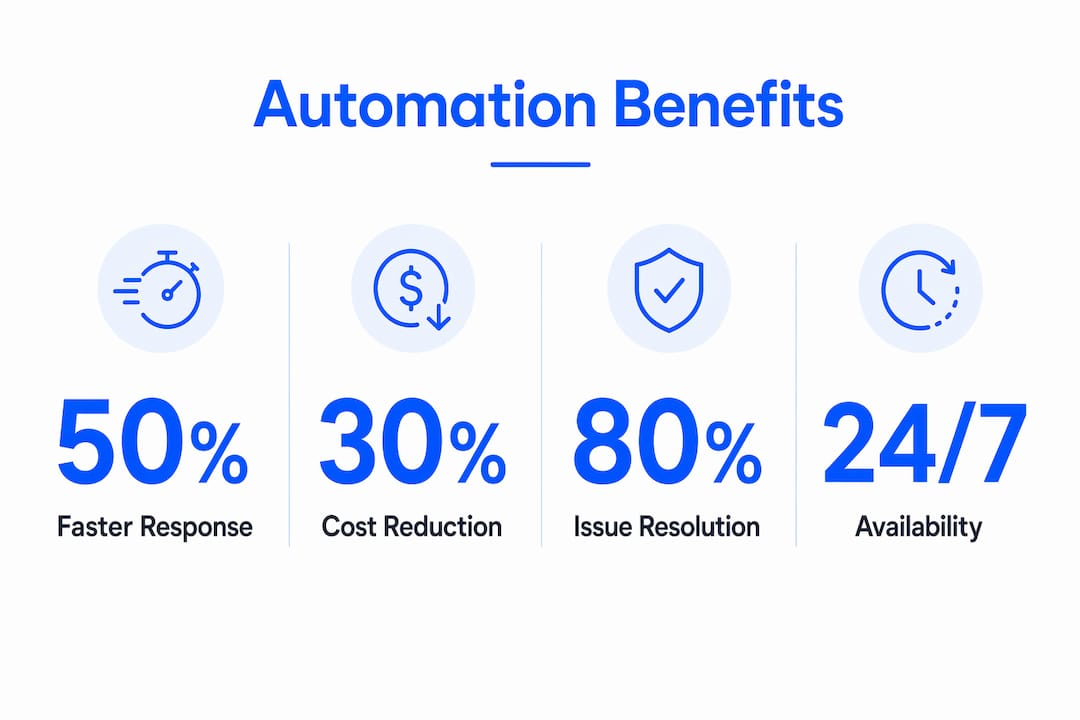
- 24/7 availability protects revenue by resolving routine requests outside business hours without adding headcount
- Faster first response reduces customer frustration and lowers abandonment rates on support channels
- Lower cost per contact by deflecting high-volume, low-complexity tickets before they reach a human agent
- Agent enablement shifts your team’s time toward complex, high-value interactions where empathy and judgment matter
- Scalability lets you absorb volume spikes (product launches, seasonal surges) without emergency hiring
The recommended starting point: run a focused 6–8 week pilot on one high-volume, low-complexity use case, such as order status or password resets, and measure deflection rate and CSAT before expanding.
Table of Contents
- Why automate customer support? The core definition and automation types
- How does customer support automation actually work?
- What are the measurable business benefits of automating support?
- Which support use cases should you automate first?
- How do you decide what to automate and roll it out?
- What risks should you plan for before launching automation?
- How do you measure whether automation is working?
- How Botiqueai automated customer support: a real implementation
- Key Takeaways
- The part most automation guides get wrong
- Ready to run your first automation pilot?
- Useful sources and further reading
Why automate customer support? The core definition and automation types
Customer support automation uses technology and configured workflows to handle customer requests, route inquiries, and deliver information without requiring a human agent for every interaction. The technology stack typically includes chatbots, knowledge base suggestion engines, automated workflows, interactive voice response (IVR), autoresponders, and intelligent routing rules. 24/7 availability and faster resolutions are the most immediate operational gains, but the real value compounds when automation handles the predictable volume so agents can focus on the cases that genuinely need them.
The main automation types you’ll encounter:
- Rule-based chatbots: Follow decision trees and keyword triggers. Fast to deploy, limited to scripted flows.
- AI/NLP virtual agents: Use natural language processing to understand intent and handle varied phrasing. Better for complex FAQ resolution and multi-turn conversations.
- Self-service knowledge bases: Surface relevant articles automatically based on what the customer types, reducing ticket creation.
- Workflow automation: Trigger actions across systems (CRM updates, order lookups, ticket routing) based on defined rules or AI decisions.
- IVR (Interactive Voice Response): Handles inbound phone calls with voice menus, call routing, and basic self-service for voice channels.
- Automated email and status updates: Proactive outreach triggered by system events (shipping confirmation, ticket status change, appointment reminder).
Each type maps to specific channels. Chatbots and virtual agents live in web chat, in-app messaging, and SMS. IVR handles voice. Automated emails and status updates run across email and SMS. Workflow automation runs behind all of them, connecting your CRM, order management system, and ticketing platform. Botiqueai’s guide to automation types maps these technology choices to specific business scenarios if you want a deeper breakdown.
How does customer support automation actually work?
Every automated support interaction follows the same basic flow: a customer sends input, the system detects intent, retrieves relevant information, and either delivers a response or escalates to a human agent with full context. Understanding where each stage lives in your tech stack tells you exactly what you need to build or integrate.
The stages and what they require from your team:
- Input capture: The customer types, speaks, or clicks. Your chat widget, IVR, or email parser captures the raw input.
- Intent detection: An NLP model or rule engine classifies what the customer wants. This requires a maintained intent taxonomy and training data drawn from real ticket history.
- Knowledge retrieval: The system queries your knowledge base, CRM, or order management system for the relevant answer or account data.
- Response or action: The system delivers an answer, triggers a workflow (e.g., initiates a return), or routes to an agent with a structured handoff summary.
- Escalation and logging: When the bot cannot resolve the issue, it passes the conversation to an agent, ideally with full context preserved.
Integration points that must be in place before launch: CRM (for customer identity and history), order management system (for transactional queries), product database (for catalog and policy questions), authentication layer (for account-specific requests), and a logging system that captures every interaction for quality review and retraining.
Pro Tip: Instrument context passing from day one. Every handoff from bot to agent should include the customer’s intent classification, the steps already attempted, and any data retrieved. Agents who receive a structured summary resolve issues faster and are far more likely to trust the automation system. Botiqueai uses n8n and Make workflow orchestration to handle exactly this kind of structured context passing between systems.

What are the measurable business benefits of automating support?
The benefits of automating support are real, but they’re not uniform across every use case. Speed and availability gains are nearly universal. Cost reduction depends on deflection rate. Agent productivity improvements depend on how well you design the human+automation handoff. Here’s how each benefit maps to a metric you can actually track.
Core benefits and their business impact
- Speed: Automated responses are instant. Customers get answers in seconds rather than waiting in a queue, which directly reduces abandonment and improves satisfaction scores.
- 24/7 availability: Automation handles requests outside business hours without staffing costs. For e-commerce, this protects revenue from customers who would otherwise abandon without an answer.
- Consistency: Every automated response follows the same logic and tone. No variance from agent to agent, no bad days, no policy misquotes.
- Agent enablement: When automation handles routine volume, agents spend more time on complex cases. Ticket routing, suggested replies, and automated status updates reduce manual work and let agents focus on resolution quality.
- Scalability: A bot handles 10 conversations or 10,000 with the same infrastructure cost. Human teams cannot scale that way.
- Insights: Every automated interaction generates structured data. You can identify trending issues, spot product problems early, and feed that data back into product and marketing decisions.
Productivity and scalable quality improvements are the primary business case, and they compound over time as your intent models improve and your knowledge base matures.
Key metrics to track
- Deflection rate: (Tickets resolved by automation ÷ total tickets) × 100. Target a moderate deflection rate in a pilot; mature deployments often achieve higher deflection rates.
- CSAT (Customer Satisfaction Score): Survey customers after automated interactions. Baseline before launch, then track weekly.
- Average Handle Time (AHT): Total handle time ÷ number of interactions. Automation should reduce AHT for agents by pre-qualifying and routing accurately.
- Cost per contact: Total support cost ÷ total contacts. The clearest ROI signal.
- First-contact resolution (FCR): Percentage of issues resolved without a follow-up. Automation improves FCR when it correctly identifies and resolves the issue in one pass.
A simple ROI template
Plug in your numbers: take your monthly ticket volume, multiply by your average cost per ticket, then apply your estimated deflection rate. Subtract implementation and licensing costs, divide by time-to-value (typically 3–6 months for a focused pilot). Achieving a moderate deflection rate in a high-volume operation can save a significant amount before accounting for agent productivity gains.
Stat: A large majority of customer service leaders are under pressure to implement AI in their support operations in 2026, according to Gartner.
Which support use cases should you automate first?
Early wins come from high-volume, low-complexity flows. Order status, password resets, and billing inquiries are the fastest to automate and the easiest to measure. Here’s the full list of common automation candidates, with channel notes:
- Password reset / account unlock (chat, email, in-app): High volume, zero judgment required. Fully automatable.
- Order status and tracking (chat, SMS, email): Connects to your order system via API. Resolves in one turn.
- Returns and refund initiation (chat, in-app): Rule-based eligibility check, then automated workflow to trigger the return.
- Billing inquiries (chat, voice/IVR): Balance lookups, payment confirmation, invoice resend.
- Appointment scheduling (chat, voice): Calendar integration handles booking, rescheduling, and reminders.
- FAQ resolution (chat, email, in-app): Knowledge base retrieval handles policy questions, hours, and product specs.
- Basic troubleshooting (chat, in-app): Decision-tree flows for common product issues before escalating to a technician.
- Routing and triage (all channels): Intent classification sends the customer to the right team or agent without manual sorting.
- Proactive notifications (email, SMS): Shipping updates, appointment reminders, payment due alerts triggered by system events.
- Onboarding tasks (email, in-app): Welcome sequences, setup checklists, and feature tips delivered automatically after signup.
Three scenarios worth highlighting:
Order status (e-commerce): A customer asks “where’s my package?” at 11 PM. The bot authenticates the user, queries the order system, and returns a live tracking link in under 10 seconds. The agent who would have handled that ticket is now available for a customer with a damaged shipment who actually needs help. For more on connecting this to revenue, see Botiqueai’s AI and e-commerce automation guide.
Password reset (SaaS): A user is locked out before a demo. The bot verifies identity via email, triggers a reset, and confirms completion. No ticket created, no agent involved, no frustrated customer waiting until 9 AM.
Routing and triage (multi-team support): A customer contacts support with a billing question that frequently gets misrouted to technical support under the old system. Intent classification routes it correctly from the first message, cutting handle time and reducing transfers.
How do you decide what to automate and roll it out?
The decision framework is straightforward: prioritize by volume multiplied by simplicity. High-volume, low-complexity requests are your first tier. Low-volume, high-complexity requests stay with human agents. Everything in between gets evaluated for partial automation (agent-assist, suggested replies, pre-filled templates).
Prioritization matrix
- Tier 1 (automate fully): High volume + low complexity + structured data available (order status, password reset, FAQ)
- Tier 2 (agent-assist): Medium volume + moderate complexity + partial data (returns with exceptions, billing disputes)
- Tier 3 (human only): Low volume + high complexity + emotional stakes (complaints, escalations, legal matters)
Treat automation as a portfolio, not a single project. Mix self-service, agent-assist, and workflow automation rather than betting everything on one chatbot deployment.
Sample 8-week pilot timeline
- Weeks 1–2 (Discovery): Audit ticket data for the past 90 days. Identify the top 3 use cases by volume. Map current resolution flows and integration requirements.
- Week 3 (Data prep): Clean and label training data. Document intent taxonomy. Confirm API access to CRM and order systems.
- Weeks 4–5 (MVP build): Build the minimum viable flows for one use case. Configure integrations. Set up logging and escalation paths.
- Week 6 (Internal testing): QA with support team. Identify gaps in intent coverage. Refine escalation triggers.
- Weeks 7–8 (Live pilot + monitoring): Launch to a subset of traffic (20–30%). Track deflection rate, CSAT, and escalation rate daily. Adjust intent models based on real interactions.
For a more detailed setup walkthrough, Botiqueai’s chatbot setup guide for SMBs covers the practical steps with sample timelines.
Cost factors to budget for
- Integration complexity: Connecting to a modern CRM via REST API is straightforward. Legacy systems with no API layer add significant cost.
- Licensing: Conversational AI platforms range from low monthly fees for rule-based tools to higher costs for enterprise NLP platforms.
- Implementation hours: A focused SMB pilot typically requires 40–120 hours of configuration and testing. Enterprise deployments with multiple channels and deep CRM integration run higher.
- Ongoing maintenance: Budget for monthly intent model reviews and knowledge base updates.
Stakeholders to involve
- Support operations: Owns use case selection, quality review, and agent training
- Engineering/IT: Handles API integrations and authentication
- Data/privacy: Reviews data handling, consent flows, and retention policies
- Legal/compliance: Signs off on data processing agreements and regulatory requirements
- Product: Provides product knowledge and flags upcoming changes that affect bot content
- Vendor/partner: Botiqueai or your chosen implementation partner manages configuration and optimization
What risks should you plan for before launching automation?
Automation failures are rarely technical. They’re usually design failures: wrong intent coverage, poor escalation design, or no plan for what happens when the bot gets it wrong. Automation works best for routine, high-volume tasks; human agents remain essential for complex or emotional interactions. Plan for both.
Top risks and mitigations
- Wrong intent detection: The bot misclassifies the customer’s request and delivers an irrelevant response. Mitigation: build a fallback flow that escalates gracefully after one failed attempt, and review misclassified intents weekly during the pilot.
- Losing brand voice: Automated responses sound robotic or off-brand. Mitigation: write response templates with your brand guidelines, review them with marketing, and test with real customers before launch.
- Poor escalation design: The bot traps customers in loops without a clear path to a human. Mitigation: always provide an explicit “talk to a person” option, and set escalation triggers for frustration signals (repeated rephrasing, negative sentiment).
- Privacy breaches: Automation handles personal data without proper consent or security controls. Mitigation: involve your data privacy team before build, implement authentication for account-specific queries, and document your data retention and processing agreements.
- Performance drift: Intent accuracy degrades over time as language patterns and products change. Mitigation: schedule monthly model reviews, track intent confidence scores, and retrain on recent ticket data quarterly.
- Poor change management: Agents resist the system because they weren’t involved in its design. Mitigation: include support team leads in use case selection and QA, frame automation as workload relief rather than replacement, and share deflection metrics with the team so they see the impact.
Red flags that automation is hurting CX
Watch for these signals in your dashboard:
- CSAT drops more than 5 points on automated interactions versus human interactions
- Escalation rate exceeds 60% of automated conversations (the bot is failing to resolve)
- Ticket reopen rate increases after automation launch
- NPS verbatims mention “couldn’t reach a person” or “bot kept looping”
On compliance: any automation that handles personal data, payment information, or health-related queries must comply with applicable regulations (CCPA in California, HIPAA for health data, PCI DSS for payment data). Build consent flows and data minimization into the design from the start, not as an afterthought.
How do you measure whether automation is working?
Measurement starts before launch. Baseline every KPI you plan to track during the pilot so you have a real comparison, not a guess.
Primary KPIs and formulas
- Deflection rate: (Bot-resolved conversations ÷ total conversations initiated) × 100
- CSAT: Average satisfaction score from post-interaction surveys (scale of 1–5 or 1–10)
- Average Handle Time: Total agent handle time ÷ number of agent-handled contacts (automation should reduce this via better routing and pre-qualification)
- Cost per contact: Total support operating cost ÷ total contacts handled (human + automated)
- First-contact resolution: (Issues resolved in one interaction ÷ total issues) × 100
Reporting cadence
During the pilot: review deflection rate, escalation rate, and CSAT daily. Catch problems in the first week, not the last. Weekly executive summary should include cost per contact trend, CSAT comparison (automated vs. human), and top unresolved intent categories.
Pilot targets and action thresholds
| KPI | Acceptable pilot range | Action if out of range |
|---|---|---|
| Deflection rate | Target a moderate deflection rate in a pilot; mature deployments often achieve higher deflection rates | Below moderate: review intent coverage; above moderate: validate CSAT before scaling |
| CSAT (automated) | Within 5 points of human baseline | Drop >5 points: audit escalation design and response quality |
| Escalation rate | Below 50% of automated conversations | Above 50%: expand intent taxonomy or reduce automation scope |
| Cost per contact | Trending down vs. baseline | Flat or rising: review licensing costs vs. deflection gains |
| First-contact resolution | Flat or improving vs. baseline | Declining: check for bot loops and misrouted escalations |
Gartner predicts that agentic AI will autonomously resolve 80% of common customer service issues without human intervention by 2029. That’s the ceiling you’re building toward. Achieving a moderate deflection rate in your first pilot is a solid foundation.
How Botiqueai automated customer support: a real implementation
Botiqueai’s published success story documents a complete customer support automation implementation, from initial problem scoping through live deployment and results measurement.

Context: The client was handling a high volume of repetitive inbound requests across chat and email, with agents spending the majority of their time on inquiries that required no judgment: order status, account questions, and standard policy FAQs. Response times were inconsistent, and the support team had no capacity to focus on complex escalations.
Implementation scope: Botiqueai deployed the Aria Chatbot IA on the client’s website and integrated it with their CRM and order management system using n8n workflow automations. The pilot covered three use cases: order status, FAQ resolution, and routing/triage.
| Metric | Before automation | After automation |
|---|---|---|
| Average first response time | Hours (business hours only) | Seconds (24/7) |
| Deflection rate | 0% (all contacts reached agents) | Significant portion resolved by bot |
| Agent time on routine queries | Majority of daily volume | Substantially reduced |
| CSAT | Baseline | Maintained or improved |
Note: Specific percentage figures are available in the full case study. The table above reflects directional outcomes from the published implementation.
Integration stack: Aria Chatbot IA handled the conversational layer. n8n and Make automations connected the bot to the CRM for customer identity lookup and to the order system for transactional queries. Every escalation passed a structured context summary to the receiving agent.
Lessons learned and reproducible checklist:
- Start with one use case, not three. The temptation to automate everything at once delays launch and complicates measurement.
- Log every interaction from day one. You cannot improve what you cannot see.
- Involve agents in QA before launch. They know the edge cases your data doesn’t show.
- Set escalation triggers conservatively at first. It’s easier to reduce escalations than to recover from a CSAT drop caused by a bot that wouldn’t let go.
- Review intent misclassifications weekly for the first month. The first 30 days of real traffic will teach you more than any pre-launch testing.
Key Takeaways
Automating customer support delivers reliable speed, cost, and scale gains when you start with high-volume, low-complexity use cases and measure deflection rate and CSAT from day one.
| Point | Details |
|---|---|
| Start with high-volume, simple flows | Order status, password resets, and FAQ resolution deliver the fastest deflection gains with the lowest implementation risk. |
| Measure before you launch | Baseline CSAT, cost per contact, and AHT before the pilot so you have a real comparison, not a directional guess. |
| Design escalation first | A bot that traps customers destroys CSAT. Build the human handoff before you build the automation. |
| Treat automation as a portfolio | Mix self-service, agent-assist, and workflow automation rather than deploying a single bot and calling it done. |
| Botiqueai as your pilot partner | Botiqueai’s Aria Chatbot IA and n8n/Make workflow automations are the implementation stack behind the case study above, available for a focused 6–8 week pilot. |
The part most automation guides get wrong
There’s a framing problem in almost every article written about customer support automation: they treat deflection rate as the goal. It’s not. Deflection rate is a proxy. The actual goal is customer effort. A bot that deflects 40% of tickets but leaves customers frustrated has made your support operation worse, not better, even if the spreadsheet looks good.
The teams that get the most out of automation are the ones that design for the customer’s experience first and the deflection metric second. That means building escalation paths that feel like a relief, not a failure. It means writing bot responses that sound like your brand, not a legal disclaimer. And it means involving your agents in the design process, because they know exactly where the current system breaks down.
The other thing guides understate: automation compounds. A 15% deflection rate in month one becomes 30% in month six as your intent models improve and your knowledge base fills in. The teams that give up after a mediocre first month miss the compounding effect entirely. The pilot is not the product. It’s the foundation.
One more thing worth saying plainly: automation does not reduce the need for good support people. It changes what they do. The best support teams after automation are smaller in headcount but significantly higher in skill level, because the routine work is gone and what remains actually requires expertise. That’s a better outcome for the business and, honestly, a better job for the people doing it.
Ready to run your first automation pilot?
Botiqueai builds custom AI chatbots and workflow automations for businesses that want measurable results, not a generic bot deployment. The typical engagement starts with a 6–8 week pilot targeting one high-volume use case, using Aria Chatbot IA for the conversational layer and n8n or Make for backend integrations with your CRM and order systems. Most clients see meaningful deflection gains and maintained CSAT within the pilot window.

If you’re evaluating whether automation is the right move for your support operation, the fastest path to clarity is a focused pilot with clear KPIs set before day one. Botiqueai’s team handles the configuration, integration, and optimization so your support team can focus on running the pilot, not building it. Explore the Aria Chatbot IA product page or review the workflow automation services to see what a typical pilot stack looks like, then request a conversation to scope your specific use case.
Useful sources and further reading
- Success Story: Automating Customer Support with AI — Botiqueai’s published implementation case study with before/after outcomes and a reproducible checklist.
- 6 Repetitive Tasks SMBs Can Automate with AI Today — Practical list of pilotable use cases for smaller teams evaluating where to start.
- AI Chatbot Benefits for Customer Service in 2026 — Analysis of how AI chatbots reduce repetitive workload and improve response times.
- Chatbot Customer Service Setup for SMBs: 2026 Guide — Step-by-step setup guide with sample pilot timelines for small and mid-size businesses.
- Customer Service Automation: Advantages, Practices, Examples — OTRS overview of automation benefits, including 24/7 availability and workload reduction.
- Customer Support Automation: Benefits, Examples & Best Practices — Covers best practices for combining automation with human support and avoiding common failures.
- What is automated customer service? — Salesforce — Salesforce’s breakdown of routing, suggested replies, and productivity features in automated support.
- Gartner: A large majority of customer service leaders under pressure to implement AI in 2026 — Survey data on the scale of AI adoption pressure in customer service leadership.